Please visit the Member Portal or App to view your detailed receipts and pay your statement.
Log in. If you’ve forgotten your login credentials, please contact us at memberportal@the-villages.com.
Website #
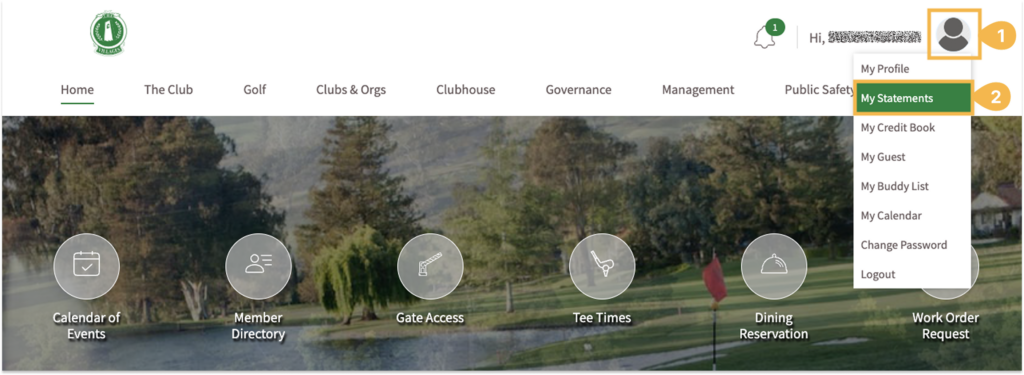
Once logged in, click on the person icon in the upper right corner and select My Statements from the dropdown menu.
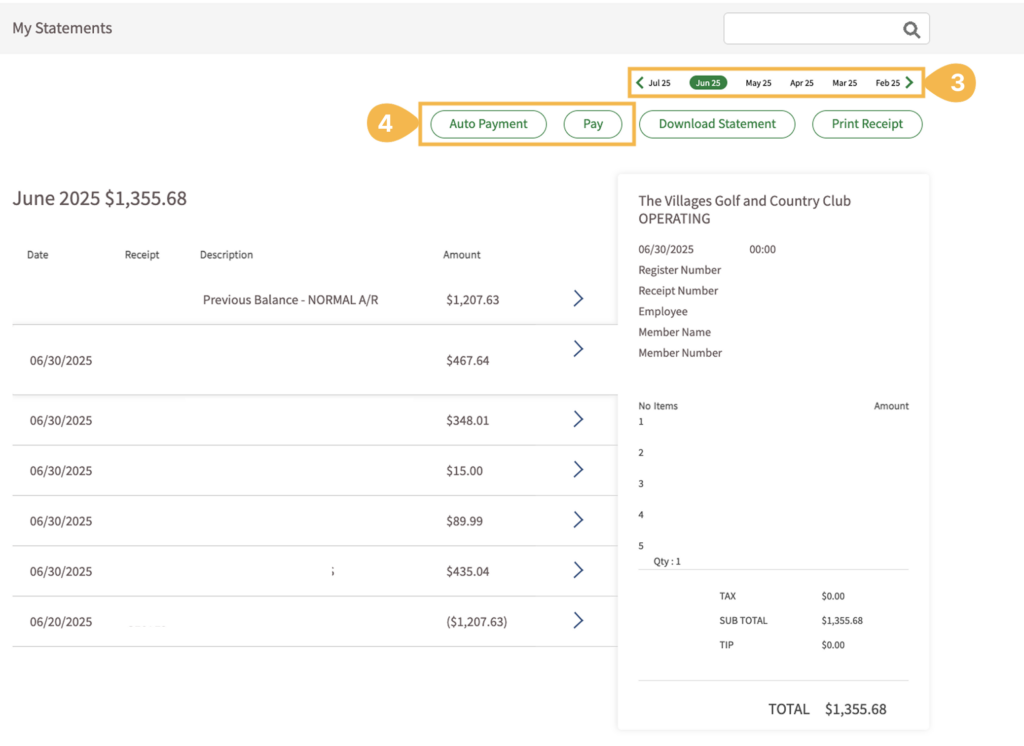
Select the month for the receipt you’d like to view.
To pay your statement, choose either Payment (one-time payment) or Auto Pay (recurring payment).
App #
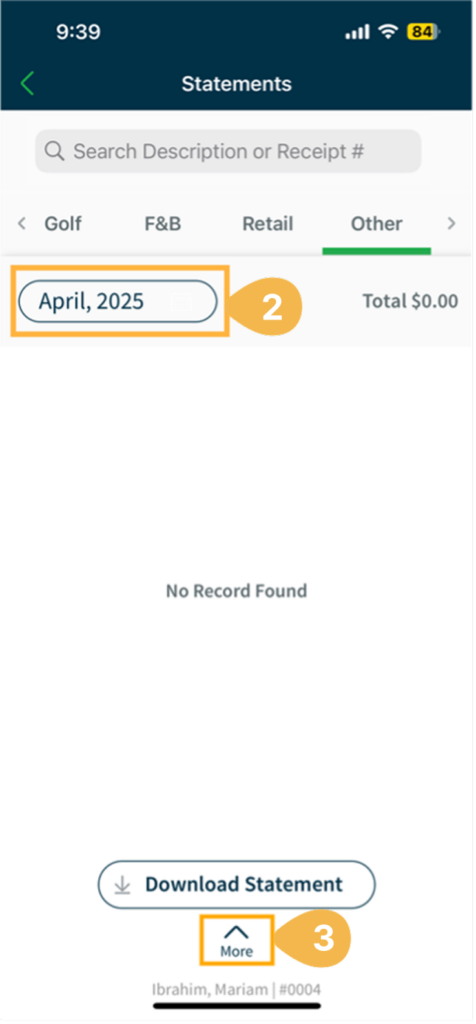
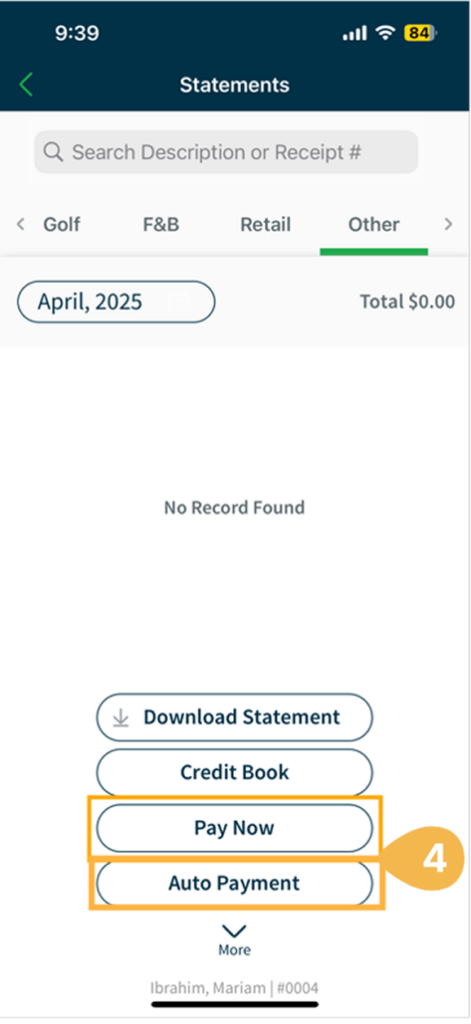
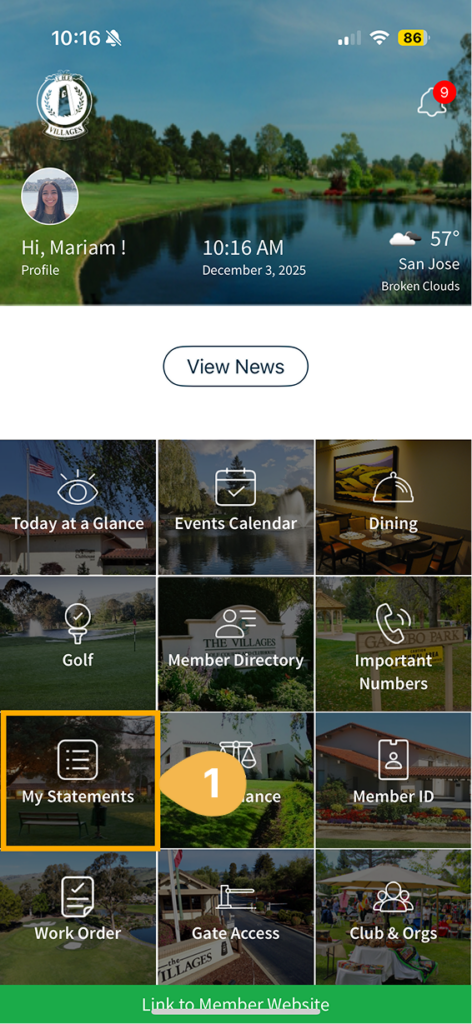
Click on My Statements tile.
Select the month for the receipt you’d like to view.
To pay your statement, click More at the bottom of the page. Choose either Payment (one-time payment) or Auto Pay (recurring payment).