
1) Log in to the Member Portal.
If you experience any issues, please contact us at memberportal@the-villages.com.
2) Go to My Profile by clicking the person icon or your profile picture in the upper-right corner
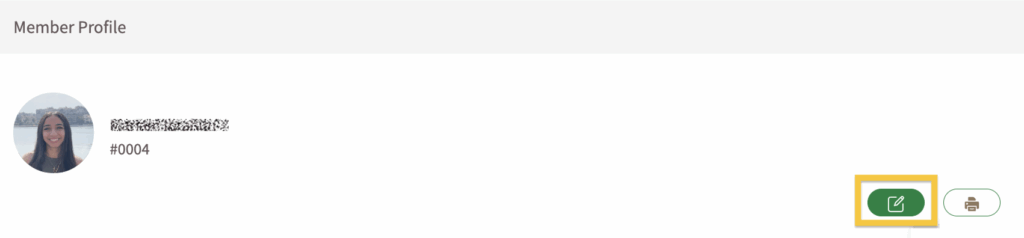
Click the pencil icon in the top right corner to edit your profile.

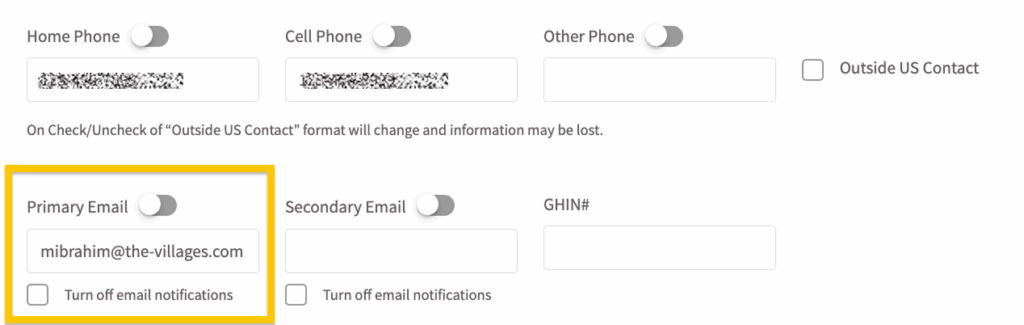
3) Check your primary email settings
Ensure that your email address is in the Primary Email section.
Note: There is a checkbox labeled Turn off email notifications. If this option is selected, you will not receive any system-generated emails.
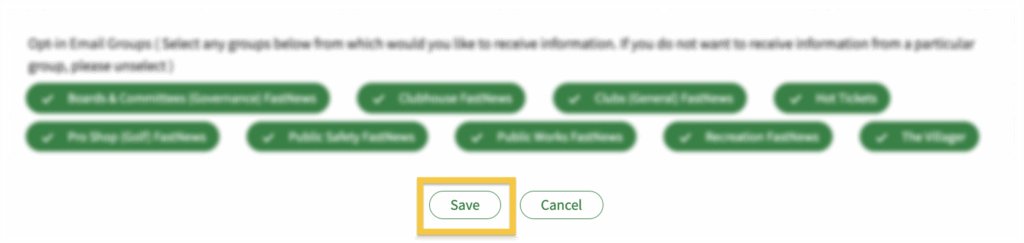
4) Look for the Opt-in Email Groups buttons at the bottom of the page.
Select all the FastNews topics you want to receive. At any time, you can go to your profile and update your selections.
- Clubhouse
- Golf
- Public Safety
- Clubs & Events
- Recreation
- Governance
- Public Works
- The Villager
- Hot Tickets

5) Save your updates.
Be sure to click the Save button before leaving the page.
Unsubscribing from Emails
At the bottom of every FastNews email, you’ll find a link that says “Click here to unsubscribe from further communications.” Clicking this link will unsubscribe you from all FastNews and general announcement emails. However, you will still receive emails related to tee times and dining reservations.


